System Design – Introduction & High-Level Design (HLD) Lecture 1
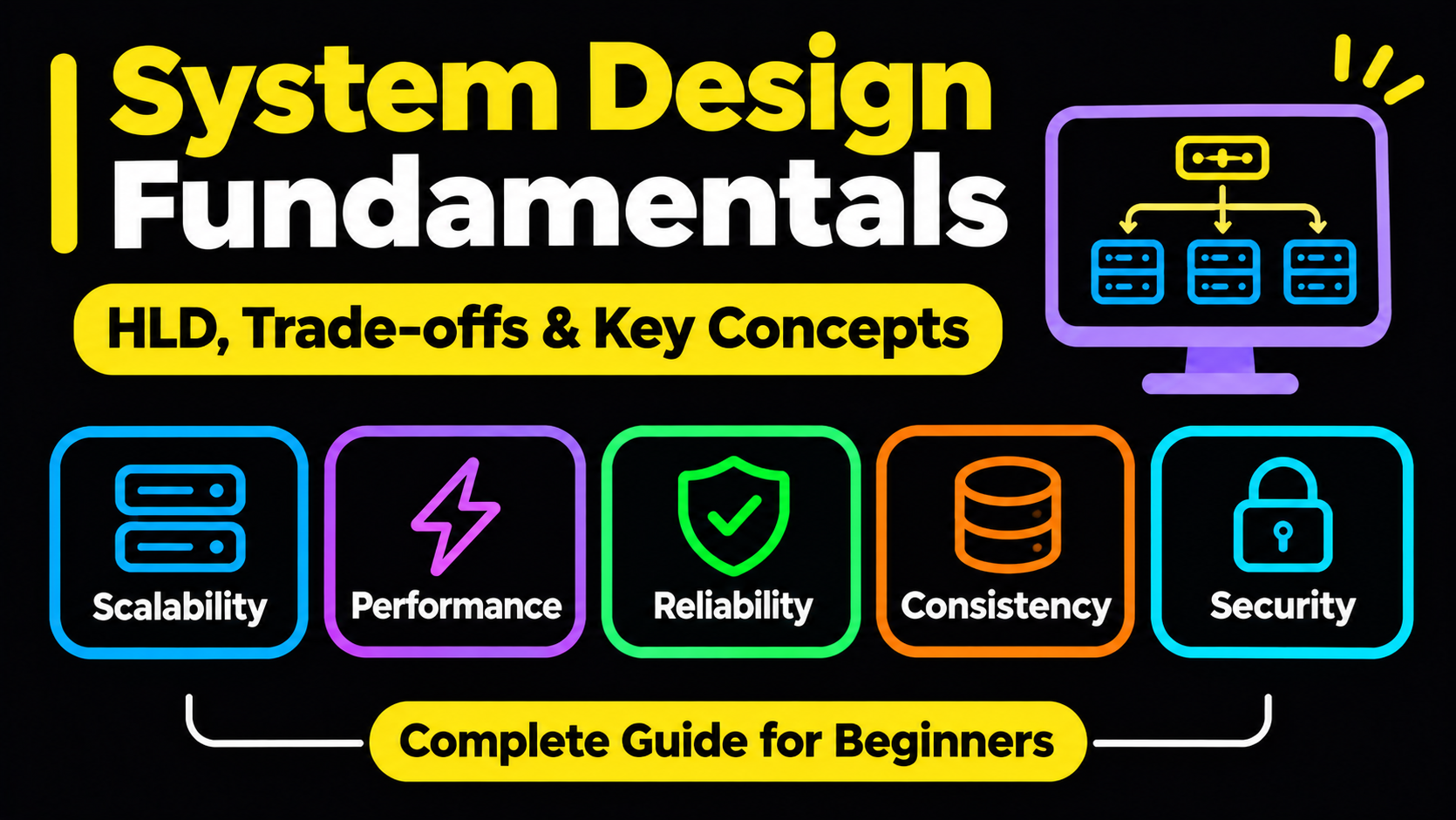
Introduction to System Design
System Design is the process of planning the architecture, components, databases, APIs, and communication flow of a software application before implementing it.
In today's AI era, simply knowing how to write code is not enough. Developers must understand how to design scalable, reliable, and efficient software systems.
Why is System Design important?
- Helps developers make better technical decisions.
- Demonstrates understanding of computer science fundamentals.
- Helps build applications that can handle millions of users.
- Helps select appropriate technologies and architectures.
- Develops problem-solving and architectural thinking.
Types of System Design
System Design is mainly divided into two types:
High-Level Design (HLD)
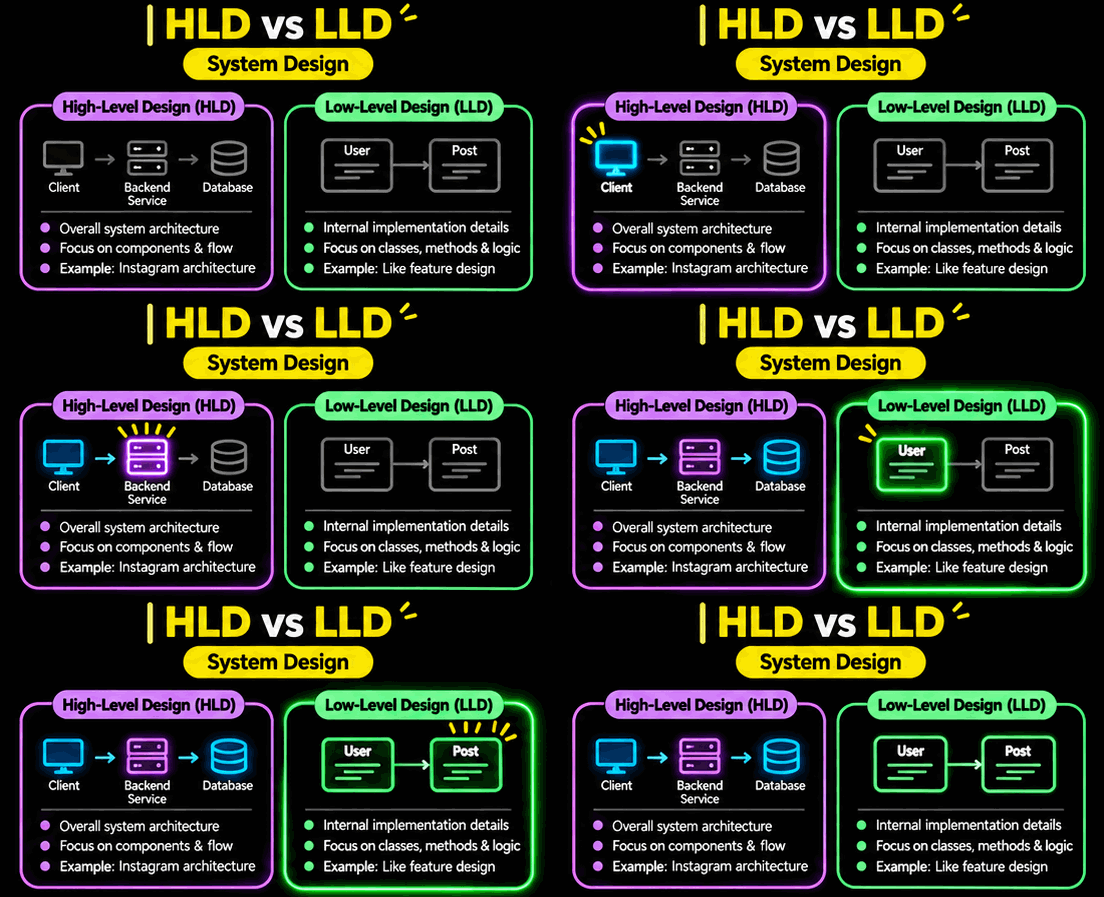
High-Level Design focuses on the overall architecture and structure of a software system.
It defines what components are required and how they communicate with each other.
Key responsibilities:
- Identify system components.
- Select appropriate databases.
- Define APIs and communication mechanisms.
- Design data flow between components.
- Decide how the system will scale.
- Define the overall system architecture.
Example: Designing Instagram
An HLD might include:
- Frontend application
- Backend services
- Database
- Cache
- Message Queue
- Media Storage
- CDN
HLD focuses on architectural decisions rather than detailed implementation.
Low-Level Design (LLD)
Low-Level Design focuses on the internal implementation details of individual components.
It explains how each component will be developed and how its internal logic will work.
Key responsibilities:
- Design classes and objects.
- Define methods and functions.
- Establish relationships between classes.
- Apply appropriate design patterns.
- Define component-level logic.
Example: Designing Instagram's Like Feature
LLD might include:
- User class
- Post class
- Like class
- Like and unlike methods
- Relationships between classes
LLD is commonly associated with machine coding interviews.
HLD vs LLD
| Basis | HLD | LLD |
|---|---|---|
| Full Form | High-Level Design | Low-Level Design |
| Focus | Overall architecture | Internal implementation |
| Scope | Complete system | Individual components |
| Database | Database selection and architecture | Tables, schemas, relationships |
| Coding | Generally not required | Often required |
| Example | Instagram architecture | Instagram Like feature |
Key Takeaway:
- HLD = What components are needed and how they connect.
- LLD = How individual components are implemented.
System Design Has No Perfect Answer
In System Design, there is no single universally correct solution.
The best design depends on the application's requirements, constraints, and use cases.
Real-Life Example: Traveling from Delhi to Patna
Suppose you need to travel from Delhi to Patna. You have three options:
- Flight
- AC 3-Tier Train
- General Train
Which option is the best?
The answer depends on your priorities.
| Criteria | Flight | AC 3-Tier | General |
|---|---|---|---|
| Time | Best | Medium | Medium |
| Price | Worst | Medium | Best |
| Comfort | Medium | Best | Worst |
Different Users, Different Decisions
Case 1: Time is important
If someone has enough money but limited time, a flight is the best option.
Case 2: Price is important
If someone wants to save money, travelling in the general coach is the best option.
Case 3: Comfort is important
If someone prioritizes comfort and wants to sleep during the journey, AC 3-Tier is a better option.
Learning from this example
Before designing a system, we must understand:
- What does the user actually need?
- Which parameters are most important?
- What can be compromised?
- What are the system's limitations?
Trade-Off in System Design
Definition: A trade-off means improving one parameter while compromising on another parameter.
In system design, optimizing every parameter simultaneously is generally not possible.
Examples:
| Requirement | Possible Trade-Off |
|---|---|
| Better performance | Higher infrastructure cost |
| Lower cost | Reduced infrastructure capacity |
| Higher availability | Additional servers and redundancy |
| Better consistency | Potentially higher latency |
| Faster response | Potentially more caching and infrastructure complexity |
Key Concept:
There is no perfect system design. The best solution is the one that satisfies the given requirements while making appropriate trade-offs.
Interview Approach
When an interviewer asks you to design a system:
- Understand the requirements.
- Identify important constraints.
- Discuss possible trade-offs.
- Propose an architecture.
- Explain why you selected that architecture.
Basic Networking Fundamentals
Before learning System Design, you should understand how the internet works at a basic level.
What is a Machine or Host?
Every digital device connected to the internet can be considered a machine or host.
Examples:
- Laptop
- Smartphone
- Smartwatch
- Web server
- Cloud server
- Smart refrigerator
These machines communicate with each other over the internet.
Types of Machines on the Internet
Generally, machines involved in client-server communication are divided into two categories:
Client
A client is a machine that sends requests to another machine to access data or services.
Examples:
- Web browser
- Mobile application
- Desktop application
Server
A server is a machine that receives requests, processes them, and sends responses to clients.
Examples:
- YouTube server
- Google server
- Application backend server
How Do Clients and Servers Communicate?
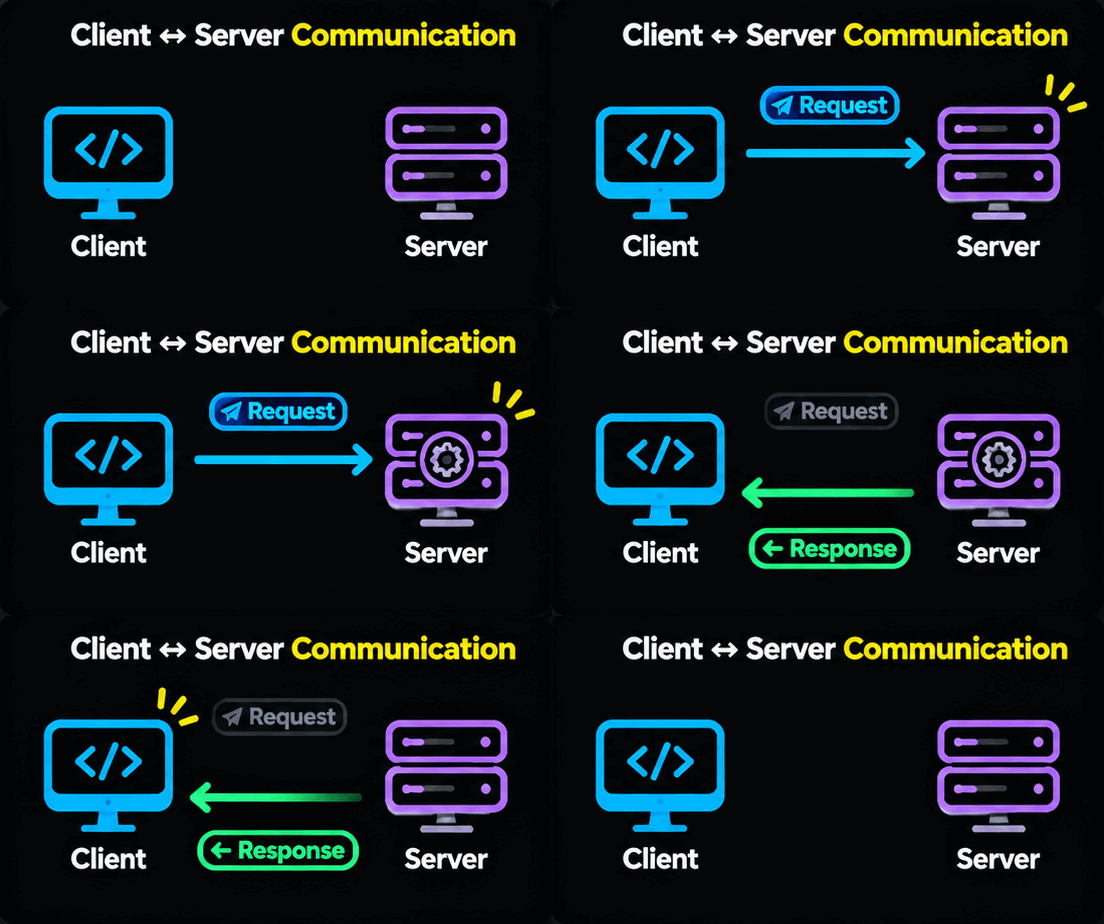
Communication generally happens through two operations:
- Request
- Response
Example: Watching a YouTube Video
- You open YouTube on your laptop.
- You click on a video.
- Your browser sends a request to YouTube's server.
- The server processes the request.
- The server sends the video data as a response.
- Your browser plays the video.
Client (Browser)
Requests a YouTube video
HTTP Request
HTTP Response
Server (YouTube)
Processes request and returns video data
Important Point About Responses
A response does not always mean the requested operation was successful.
A response can be:
- Successful response
- Incorrect response
- Delayed response
- Error response
- Denial response
Even when a server returns an error, it is still responding to the client's request.
Nine Important Principles of High-Level Design
There are nine important parameters that should be considered while designing a system.
These parameters help us understand system requirements and make architectural decisions.
Load and Scalability
Load: Load refers to the amount of traffic or workload a system needs to handle.
Scalability: Scalability refers to a system's ability to handle increasing workloads by adding or adjusting resources.
Example:
Suppose you build an application for 100 users.
After some time, your application grows to 100,000 users.
Now you need to increase the system's capacity to handle the additional traffic.
Important questions:
- How many users will access the application simultaneously?
- How many requests will the system handle per second?
- What happens when traffic increases?
- How will the system scale?
Two common scaling approaches:
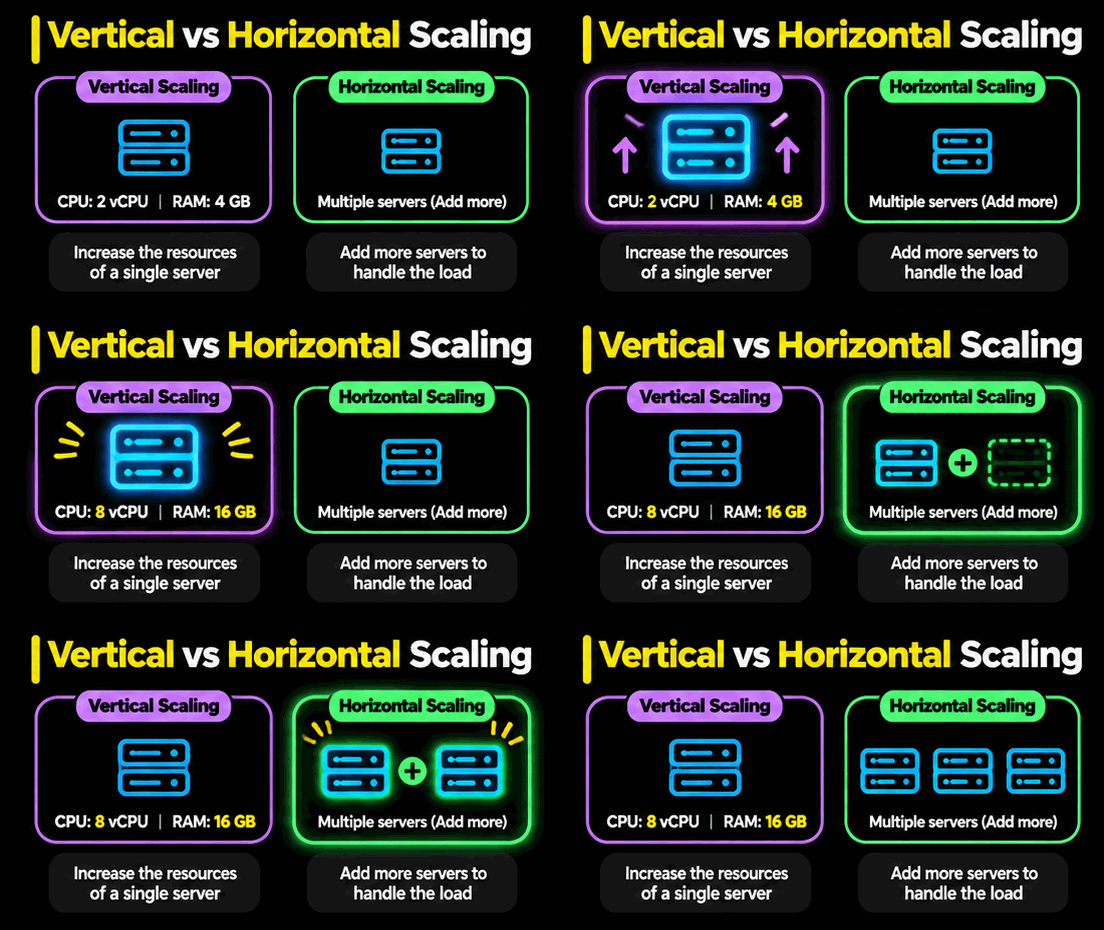
- Vertical Scaling: Increasing the resources of an existing machine.
- Horizontal Scaling: Adding more machines to distribute the workload.
Performance and Latency
Performance refers to how efficiently a system processes requests.
Latency refers to the time taken between sending a request and receiving a response.
Example:
Suppose a user asks ChatGPT a question.
How long should the system take to generate a response?
- 1 second
- 5 seconds
- 20 seconds
The expected response time depends on the application's requirements.
Important questions:
- What is the expected response time?
- How many requests should be processed per second?
- How much latency can users tolerate?
Availability
Availability refers to the percentage of time a system remains operational and accessible to users.
It is commonly measured in percentages.
Examples:
- 99% availability
- 99.9% availability
- 99.99% availability
A higher availability percentage means less downtime.
Example:
Suppose Amazon's website is unavailable for three days.
This could result in significant business losses because customers cannot purchase products.
Therefore, availability is extremely important for business-critical applications.
Availability Reference
| Availability | Approximate Downtime Per Year |
|---|---|
| 99% | 3.65 days |
| 99.9% | 8.76 hours |
| 99.99% | 52.56 minutes |
| 99.999% | 5.26 minutes |
Important: Achieving 100% availability is practically impossible because hardware failures, network failures, and other unexpected problems can occur.
Reliability and Fault Tolerance
These are two related but different concepts.
Reliability: Reliability means the system consistently provides correct results and behaves as expected.
Example:
Suppose you withdraw ₹500 from an ATM.
- ATM gives you ₹500 → Reliable.
- ATM gives you ₹400 → Unreliable.
A system should provide correct results even when it experiences heavy traffic.
Fault Tolerance: Fault tolerance means the system continues operating even when some of its components fail.
Example:
Suppose your application runs on 10 servers.
If one server fails, the remaining servers should continue handling requests.
This is called fault tolerance.
Remember:
- Reliability = Correct behaviour.
- Fault Tolerance = Continue operating despite failures.
Consistency
Consistency means maintaining correct and valid data across the system.
Example: Banking System
Suppose Person A transfers ₹100 to Person B.
Two operations must happen correctly:
- ₹100 must be deducted from Person A's account.
- ₹100 must be added to Person B's account.
If money is deducted from A but not credited to B, the system has violated consistency.
Consistency is especially important in financial applications.
Durability
Durability means that once data is successfully committed or stored, it should not be lost even after system failures.
Example: Instagram
Suppose you have an Instagram account with 263K followers.
Instagram's servers experience a major failure and remain unavailable for several hours.
When Instagram becomes operational again, your account and followers should still exist.
Your stored data should survive unexpected failures.
This is called durability.
Security
Security means protecting the system and its data from unauthorized access, attacks, and information leakage.
Important security considerations:
- Authentication
- Authorization
- Data encryption
- Protection against cyberattacks
- Secure API communication
- Data privacy
Example:
If an unauthorized person accesses customer banking information, it is a security violation.
Cost
Cost refers to the total expense required to build, operate, and maintain a system.
It includes:
- Server and infrastructure costs.
- Database costs.
- Cloud storage costs.
- Network and bandwidth costs.
- Maintenance costs.
Example:
Suppose an application has only 100 users.
Using 100 servers to achieve maximum performance would be unnecessarily expensive.
The architecture should match the actual business requirements and available budget.
Maintainability
Maintainability means designing a system so that developers can easily understand, modify, debug, and maintain it.
A system should not become so complicated that only its original developer can understand it.
Important considerations:
- Clean architecture
- Modular code
- Proper documentation
- Reusable components
- Easy debugging
- Clear separation of responsibilities
Instagram vs Banking System: Understanding Trade-Offs
Different applications have different priorities.
Let's compare Instagram and a Banking System.
Reliability and Consistency
Suppose your bank account has ₹2,00,000.
You check your balance, but the application temporarily displays ₹500.
This is a serious problem because incorrect financial information can create panic and financial consequences.
Now consider Instagram.
Suppose your reel actually has 90,000 views, but Instagram temporarily displays 80,000 views.
This is less critical. The view count can be corrected later.
Therefore:
- Banking systems require very high data correctness and consistency.
- Instagram can tolerate some temporary inconsistencies in non-critical data, such as view counts.
Availability
Now consider what happens when these systems experience failures.
Banking System:
If a bank cannot guarantee the correctness of a financial transaction, it may prefer temporarily stopping the operation rather than processing an incorrect transaction.
Instagram:
Instagram may continue serving content even if some non-critical statistics are temporarily stale.
Comparison
| Parameter | Banking System | |
|---|---|---|
| Data Consistency | Extremely Important | Depends on feature |
| Reliability | Extremely Important | Important |
| Availability | Very Important | Very Important |
| Temporary Data Inconsistency | Generally unacceptable for financial transactions | Can be acceptable for some metrics |
| Security | Extremely Important | Extremely Important |
Key Learning: Every system has different priorities. Architecture should be designed according to its actual use case.
Summary: Nine Principles of HLD
| No. | Principle | Meaning |
|---|---|---|
| 1 | Load & Scalability | Handle increasing users and requests |
| 2 | Performance & Latency | Respond efficiently and quickly |
| 3 | Availability | Keep the system operational |
| 4 | Reliability | Provide correct and consistent behaviour |
| 5 | Fault Tolerance | Continue working despite component failures |
| 6 | Consistency | Maintain correct data |
| 7 | Durability | Preserve committed data |
| 8 | Security | Protect data and resources |
| 9 | Cost & Maintainability | Control expenses and simplify maintenance |
How to Approach a System Design Interview
Whenever an interviewer asks you to design an application, don't immediately start suggesting technologies.
Follow this approach:
- Understand Requirements: What exactly does the user want?
- Identify Constraints: What are the limitations?
- Discuss Trade-Offs: What can be compromised?
- Estimate Load: How many users and requests should the system handle?
- Define Architecture: Identify the required components.
- Explain Communication: How will components exchange data?
- Discuss Reliability: How will the system handle failures?
The architecture should be justified by the requirements, not by personal technology preferences.
About the author
Hi there! I'm Aditya, a passionate Full-Stack Developer driven by a love for turning concepts into captivating digital experiences. With a blend of creativity and technical expertise, I specialize in crafting user-friendly websites and applications that leave a lasting impression. Let's connect and bring your digital vision to life!
Comments
Join the discussionNo comments yet. Be the first to comment.
Engineering
Explore in-depth articles on AI, full-stack development, system design, software architecture, web technologies, and engineering best practices.